> For the complete documentation index, see [llms.txt](https://help.zenky.io/llms.txt). Markdown versions of documentation pages are available by appending `.md` to page URLs; this page is available as [Markdown](https://help.zenky.io/website/builder/vizualnoe-oformlenie.md).
# Визуальное оформление
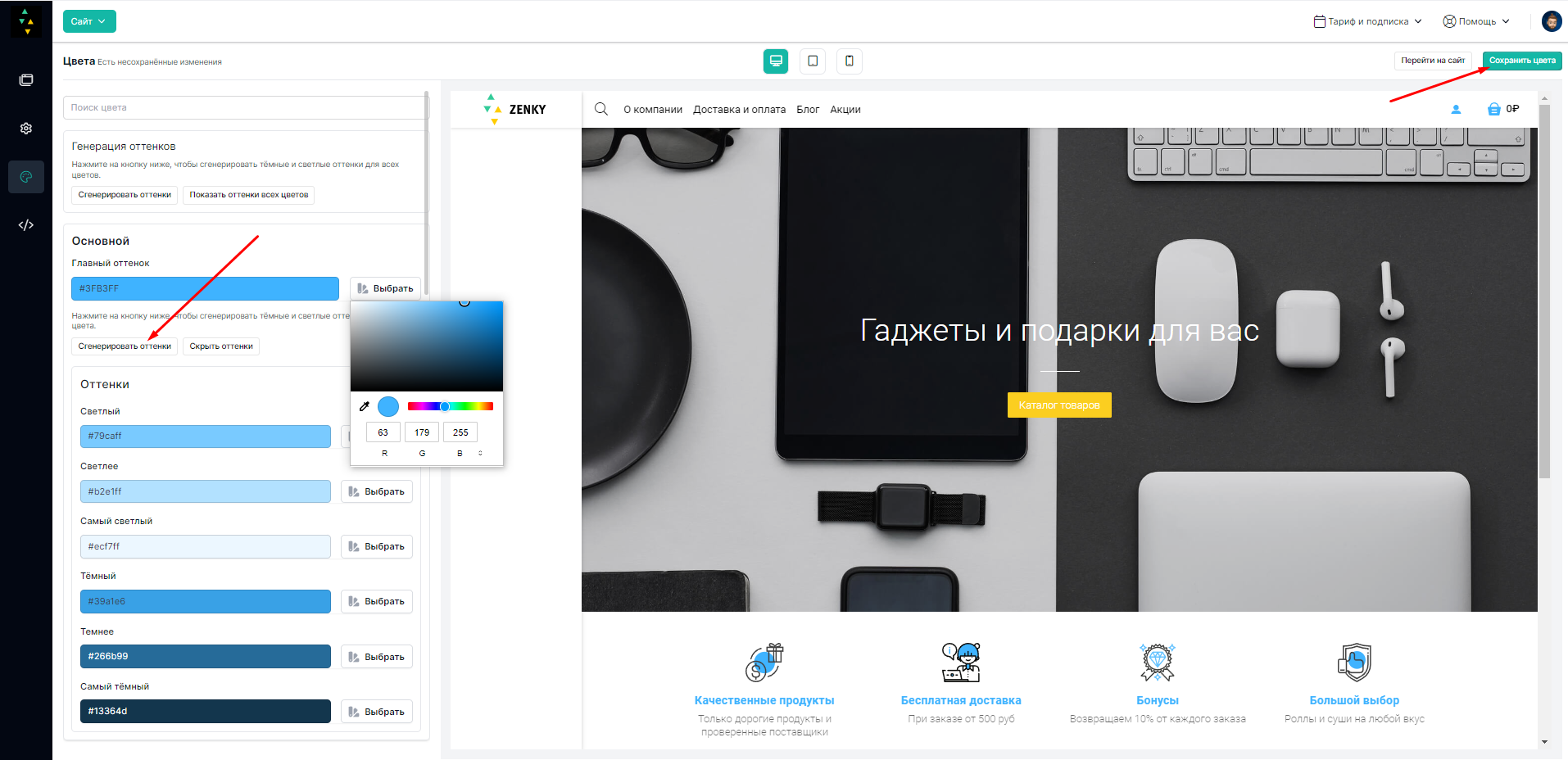
Здесь все просто. Читаем, за что отвечает данный цвет, меняем его на тот, который нам нужен (вводим хэштэг и 6 цифр понравившегося нам цвета в формате HEX).
После выбора цвета - не забываем сгенерировать для него оттенки, и сохранить цвета зеленой кнопкой в правом верхнем углу. \
\
Таким же образом идем от цвета к цвету и оформляем дизайн сайта согласно своему фирменному стилю. Если не понятно, за что отвечает тот или иной цвет - просто меняем его методом тыка и смотрим, где что поменялось. Это будет самый быстрый способ понять, какие цвета нужно поменять именно вам.
### Видео инструкция
{% embed url="" %}